

Tasker robot

Tasker

Plan, dispatch, and track AI-agent work on a kanban board inside VS Code.

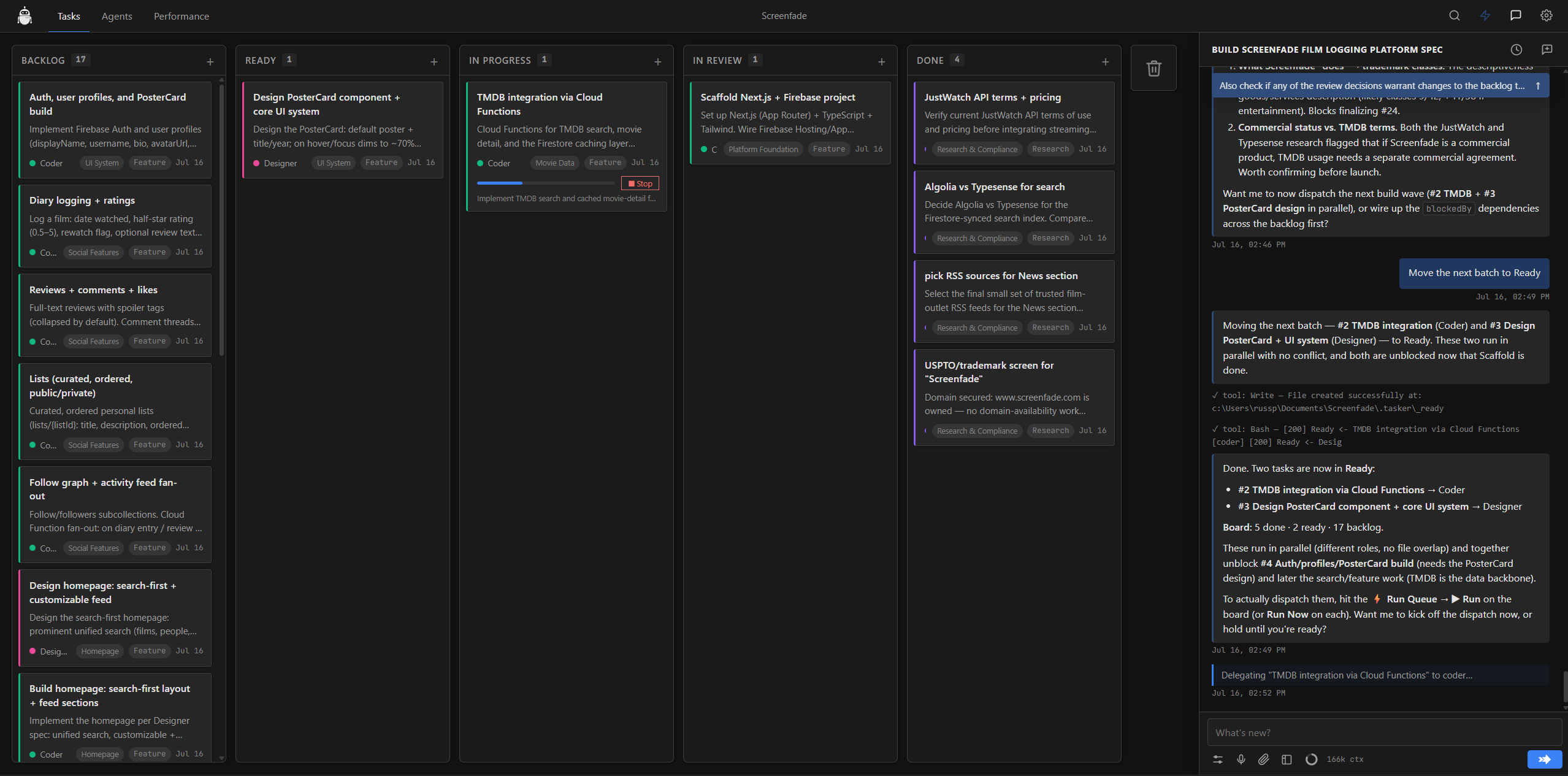
Tasker board showing tasks moving from Backlog through Done
Plan, dispatch, and track agent work from one board.

Choose your workflow

Free

$0

Everything you need to run one agent at a time.

  • Full kanban board and task workflow
  • Researcher, Coder, Reviewer, Writer, and Tasker roles
  • Run Queue and Run Now dispatch
  • Live progress steps and review output
  • Default Claude Code driver
  • External model connectors
  • Multi-agent pipelines
Download Tasker free

What happens after checkout

  1. Your payment is securely processed by Stripe.
  2. Your Tasker license key is emailed when payment clears.
  3. Open Tasker’s Settings in VS Code and paste the key into the license field.

Frequently asked questions

How do I activate my key?

Open Tasker’s Settings in VS Code. On the Free plan, the About section shows a Get Pro button and a license-key field. Paste the key from your email there to activate Pro.

What does “five seats” mean?

One license key can activate Tasker on up to five installs, whether those are your own machines or members of your team.

What is included in Free?

The full board, built-in agent roles, Run Queue and Run Now, progress tracking, review flow, and single-agent-per-task dispatch through the default Claude Code driver.

What does Pro unlock?

Pro unlocks connectors for external model providers and pipelines that sequence multiple agents on a single task.

I paid by bank debit. Where is my key?

Bank debits and similar payment methods can take a few days to settle. Your key is generated and emailed automatically as soon as Stripe confirms the payment.

I did not receive the email. What should I do?

Allow about 15 minutes and check your spam folder. If it is still missing, contact Emberstone Studio and ask us to resend the license email.

I need purchase or refund support.

Send Emberstone Studio a message with the email address used at checkout, and we will help.